
NEXUS Icon
Nexus
01 — NEXUS UTILITY

THE ULTIMATE WINDOWS TWEAKING UTILITY.

Trusted by competitive players who can't afford to leave performance on the table. Eliminate stutters and input lag using system optimizations that actually work - not YouTube tutorials and placebo fixes.
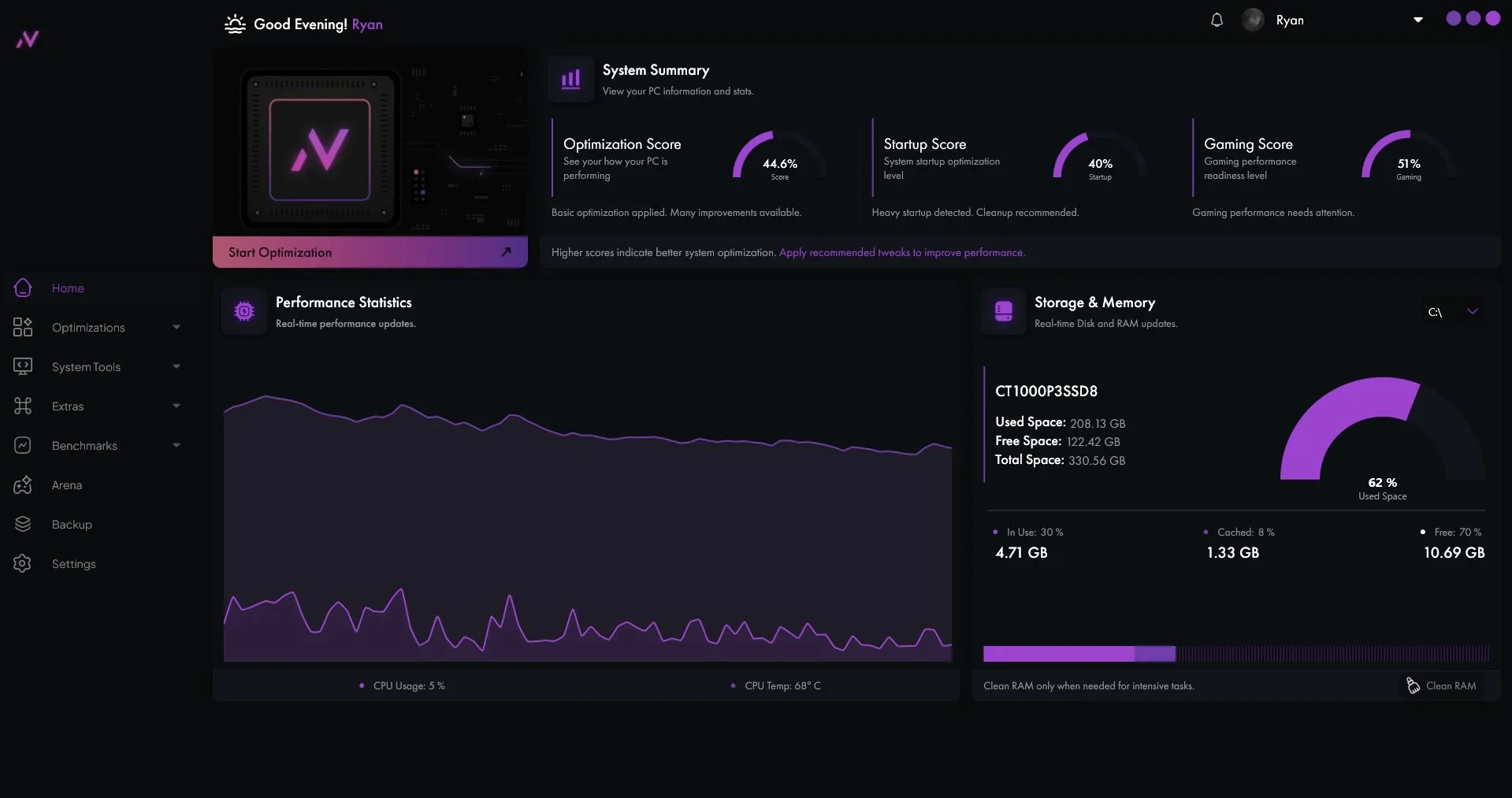
Nexus Tweaking Utility Panel
BCDEDIT TUNED/ NVIDIA GPU TUNED/ AMD GPU TUNED/ BIOS OPTIMIZED/ ARENA MODE ACTIVE/ TELEMETRY DISABLED/ IDLE STATES OFF/ DEVICE AFFINITY SET/ SNAP TAP ENABLED/ GPU PROFILES APPLIED/ BCDEDIT TUNED/ NVIDIA GPU TUNED/ AMD GPU TUNED/ BIOS OPTIMIZED/ ARENA MODE ACTIVE/ TELEMETRY DISABLED/ IDLE STATES OFF/ DEVICE AFFINITY SET/ SNAP TAP ENABLED/ GPU PROFILES APPLIED/ BCDEDIT TUNED/ NVIDIA GPU TUNED/ AMD GPU TUNED/ BIOS OPTIMIZED/ ARENA MODE ACTIVE/ TELEMETRY DISABLED/ IDLE STATES OFF/ DEVICE AFFINITY SET/ SNAP TAP ENABLED/ GPU PROFILES APPLIED/
02 — CORE CAPABILITIES

ENGINEERED FOR
ZERO LATENCY.

Forget useless tweakers and registry tweaks that break your operating system. Nexus Tool applies verified, kernel-level configurations to system timers, hardware interrupts, and game priorities safely.

SYSTEM OPTIMIZATIONS

Applies precision BCDEdit tweaks, optimizes scheduled tasks, configures optimal FSO settings, disables autologgers, manages interrupt steering, optimizes NVMe Performance Throttling, and disables hardware idle states.

01 // OS TUNING

PRIVACY OPTIMIZATIONS

Cleans and configures Windows telemetry protocols, disables Cortana, and strips system-level background data collection services to maximize privacy and free up CPU resources.

02 // DATA PROTECTION

HARDWARE OPTIMIZATIONS

Applies Nvidia and AMD GPU tweaks, configures custom Nvidia Profiles, adjusts BIOS settings for popular motherboards, and integrates our advanced device affinity manager.

03 // HARDWARE TWEAKS

ARENA MODE

A dedicated real-time game booster that features dynamic memory cleanup, CPU core affinity setting, DSCP network optimizations, segment heap optimization, snap tap (null binds), and background process termination.

04 // REAL-TIME BOOST
03 — VERIFIED METRICS

STOCK WINDOWS
VS. NEXUS.

Compare average framerates and hardware input latency across competitive esports games before and after optimizations.

AVERAGE FRAME RATE (FPS) HIGHER IS BETTER
Stock Windows 0 FPS
Nexus Optimized 0 FPS
1% LOW FPS (STUTTER PREVENTION) HIGHER IS BETTER
Stock Windows 0 FPS
Nexus Optimized 0 FPS
SYSTEM INPUT LATENCY (MS) LOWER IS BETTER
Stock Windows 0 ms
Nexus Optimized 0 ms
BENCHMARK RIG SPECS
CPU: AMD Ryzen 7 9800X3D GPU: NVIDIA GeForce RTX 5070 Ti RAM: 64GB DDR5 6000MHz Dual-Channel Motherboard: ASUS ROG Strix X870E-E Gaming WiFi
04 — UTILITY LICENSING

SELECT YOUR
LICENSE TYPE.

No hidden contracts or cancellation traps. Choose the license plan that fits your setup to get regular feature updates every couple of months and direct developer support.

FREE ACCESS

FREE TIER

Essential system tools for basic optimization and cleanup.

FREE / COMING SOON
INCLUDED FEATURES:
  • Basic System Optimization
  • System Management Options
  • Maintenance & Cleanup Options
LIMITATIONS:
  • Arena Mode Features
  • Advanced System Optimizations
  • BIOS Optimizations
  • GPU Optimizations (Limited Options)
  • Priority Support
  • Exclusive Updates
  • System Benchmarking Tweaks
RECOMMENDED - BEST VALUE
YEARLY PASS

PRO EDITION

The ultimate suite for competitive gamers demanding peak hardware performance.

$45 / YEAR
INCLUDED FEATURES:
  • Arena Mode
  • Advanced System Optimizations
  • Basic System Optimization
  • BIOS Optimizations
  • Exclusive Updates
  • GPU Optimizations
  • Maintenance & Cleanup Options
  • Priority Support
  • System Tweaks
  • System Management Options
LIMITATIONS:
  • None
MONTHLY LICENSE

STARTER PLAN

Flexible month-to-month access to esports optimization.

$6 / MONTH
INCLUDED FEATURES:
  • Arena Mode
  • Advanced System Optimizations
  • Basic System Optimization
  • Exclusive Updates
  • GPU Optimizations
  • Maintenance & Cleanup Options
  • Priority Support
  • System Management Options
LIMITATIONS:
  • BIOS Optimizations
  • System Benchmarking Tweaks
05 — UTILITY ANSWERS

FREQUENT QUESTIONS.

Need clarifications? Below are details regarding safety protocols, anti-cheat compliance, and system compatibility.

Yes, 100%. Nexus Tool modifies official Windows registry settings and system scheduling options. It does not run custom drivers, inject files into memory, or touch game directories. It is fully compliant with Vanguard (Valorant), Easy Anti-Cheat (Fortnite/Apex Legends), BattlEye (Rainbow Six Siege), and Ricochet (Call of Duty).
Absolutely. You can create Windows System Restore Point and use them as needed. If you wish to undo any tweak in particular you can simple click on the toggle button to revert back the tweak to its original value.
We fully support Windows 10 and Windows 11 operating systems. This applies to all builds including Home, Pro, and LTSC/Enterprise editions. Make sure your OS is up to date before launching the optimizations for optimal driver configuration.
Each license is only valid for use on a single PC. However, if you decide to upgrade your PC then you can ask for HWID reset for free. Note that once HWID reset is done you cannot switch back to your older device in future, unless you purchase another license obviously.
JOIN THE NEXUS DISCORD
FREE · EXPERTS ONLINE · GAMER'S COMMUNITY
JOIN DISCORD
Redirecting to Checkout
Initializing secure payment gateway...